Even though Apple devices are less customizable than their Android counterparts, new iPhones and iPads still have dozens of settings to configure. Tackling the most important ones takes only a few minutes if you know where to start. Check our recommendations for the top five most useful settings.
Apple products often come with an air of invincibility, and through the years, they’ve shown resistance to threats in ways Microsoft computers aren’t privy to. This, however, does not mean that Macs aren’t invulnerable.
Viruses that affect Macs
There are four general virus types that hit Apple products, and their effects can range from merely annoying to downright destructive:
Adware
Adware are unwanted programs that bombard users with pop-up advertisements.
Like other Apple products, MacBooks are notoriously expensive, especially compared to their Windows counterparts. But as legions of personal and business users will tell you, a MacBook is well worth the price. And to make sure you get the most bang for your buck, you need to set it up properly by tweaking these settings.
Buying a secondhand Mac is a popular way to save money on relatively expensive equipment that retains its value. Conversely, selling your used Mac is a great way to expose yourself to potential identity theft. Keep your personal information safe when getting rid of a Mac computer by adhering to these tips.
Just updated to iOS 12, Apple’s latest software for iPhone and iPad? Have you checked out its new security and privacy settings? It’s a good idea to set these up right now so you can take full advantage of your device’s robust features.
Set a stronger passcode
iOS 12 now requires six-digit passcodes, and this means hackers will have a harder time cracking your passcode through a brute force attack.
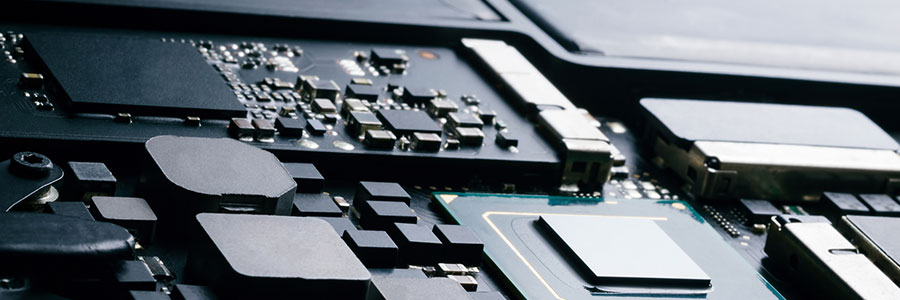
If you have an older Mac, it probably has a hard disk drive (HDD) for storing your data. Newer models, however, have a solid state drive (SSD), which has become the standard in data storage in recent years. You can enjoy the advantages of SSDs by upgrading your Mac with one today.
If you think your iPhone is safe from phishers, think again. Criminals are getting smarter by the day, and recently, they’ve been using voice phishing scams, pretending to call on behalf of Apple Support to make iPhone owners divulge sensitive information.
There are now more Macs than ever being used around the planet, thanks in part to the constant improvements to macOS that make it more powerful and less difficult to use. Moving data from a Windows PC to a Mac is now easier with the latest update to the Migration Assistant in macOS Mojave.
Did your Mac slow down after you installed macOS Mojave? Or do you suspect that its sluggishness is caused by nearly empty memory storage space? No matter what caused your Mac to slow down, things are not hopeless. Here are some ways to speed it up.
Clean up your Login Items
The Login Items list (or “Startup List”) contains all the apps and programs that automatically start when you log in.
We are driven by instinct to switch to tools that increase efficiency. This is as true as when our ancestors upgraded to sharper spears, as it is now as we continually update the operating systems of our Macs. However, there have been so many macOS improvements over the years that we often overlook the more beneficial ones.
We use cookies to ensure that we give you the best experience on our website. Unless you've selected "Allow", our website will deactivate the cookies session by default.