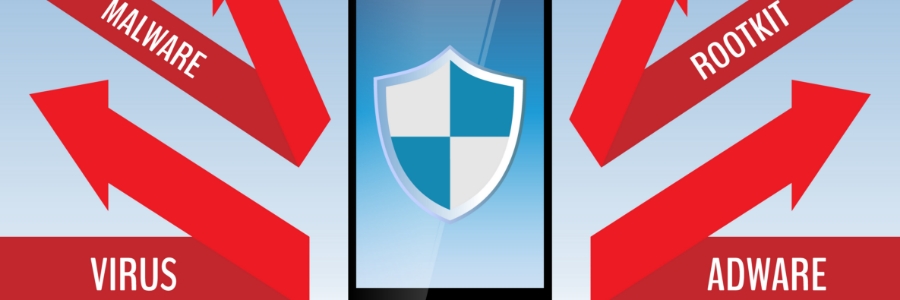
Verifying the authenticity and safety of apps before installing them is crucial to protect your device and personal information. There are numerous malicious apps in the digital landscape, so it’s important to ensure you only download trustworthy apps.
If you’ve just bought a new Android device, there’s a good chance that it came pre-installed with some apps that you don’t want or need. Find out how to clear the clutter from your Android device and get rid of those unwanted apps.
What is bloatware?
Bloatware is software that comes pre-installed on computers and other digital devices, such as mobile phones.
The use of mobile devices skyrocketed in the latter half of the 2000s, so it was only a matter of time before hackers took advantage. To protect users from attacks, mobile threat defense (MTD) technology surged onto the scene. MTD has revolutionized security measures, not only with its seamless integrations but also through solutions such as endpoint detection and response that have been designed to defend against cyberattacks.
In recent years, mobile data consumption has soared. Today’s apps require extensive data resources and continually ask users to update them with newer versions. However, relying heavily on your mobile data can quickly deplete your monthly allocation.
Google offers several features to help you stay organized and make the most of your digital life. One of these is being able to sync across devices, which allows you to access data stored on your phone, tablet, or computer, and makes it easy to manage tasks across multiple devices.
If you’ve got a new Android phone and are looking for something classy and trendy to go with it, or if you’re trying to find the perfect gift for your mobile-obsessed friend, look no further. We’ve rounded up the best Android accessories on the market so that you can make an informed decision.
You may want to transfer files from your Android phone to a PC or Mac to back up your files and free up some storage space on your device. Thanks to Android’s open and transparent nature, you can easily do so using any of the following methods.
Through a USB cable
Using the USB cord that came with your phone is probably the most convenient way to transfer files to your computer.
In recent years, ransomware has become increasingly sophisticated and widespread, infecting not just Windows PCs but also Android smartphones and tablets. If you’re concerned about the security of your Android devices and your business, read on for tips on how to protect yourself from mobile ransomware.
Is your Android device’s home screen packed with randomly arranged apps — including those you’ve never used before? A cluttered screen makes it difficult to find the app you want to use. One way to access these apps quicker is to organize them in folders, and this guide will show you how.
With so many applications found on the Google Play Store, it shouldn’t be surprising that Android devices can get infected with potentially unwanted programs, or PUPs, like adware apps. These are not only annoying but they can also steal private information such as credit card details.
We use cookies to ensure that we give you the best experience on our website. Unless you've selected "Allow", our website will deactivate the cookies session by default.